TR
TR
 EN
EN

What should be prepared before ordering custom jerseys?
A smooth custom jersey order begins with accurate information: crest files, sponsor artwork, team colours, player names, jersey numbers, sizes and special notes. When these details are collected in one structured place, the design team does not need to reconcile conflicting messages.
Explore Our Models
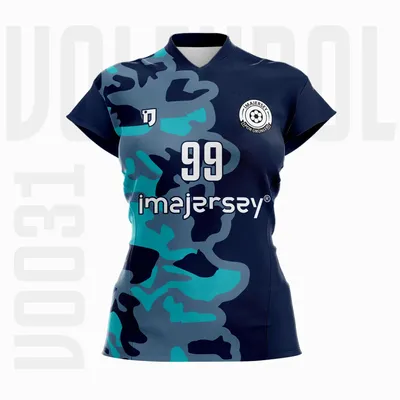
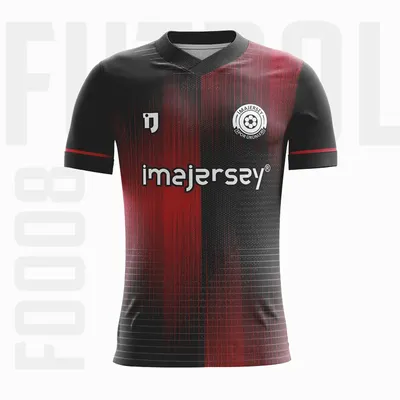
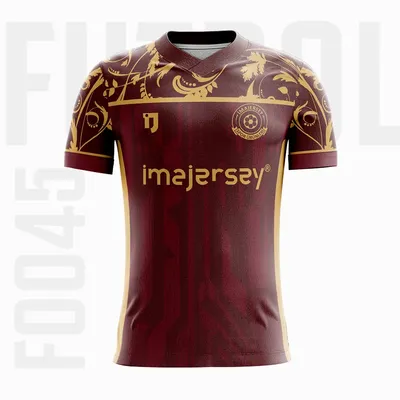
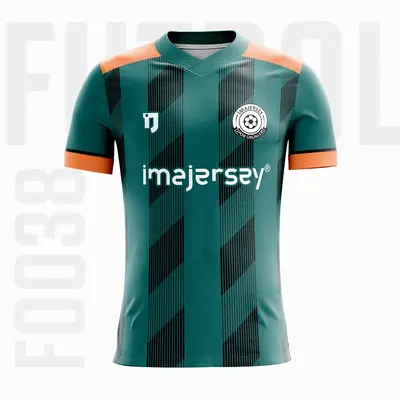
On imajersey product detail pages, customers can evaluate set, collar, fabric and fit choices and use the “Edit player list and request design” area. This guide explains that real workflow and focuses specifically on preparing a complete digital request. See the custom jersey manufacturing page for the wider service.
1. Select the jersey model
Open a design suitable for the sport and visual identity. Football, indoor football, basketball, volleyball and handball use different patterns. The selected product becomes the reference for the request, so note which colours and design areas should remain or change.
2. Prepare the crest file
A small social-media screenshot can become pixelated when enlarged. Prefer a transparent PNG, SVG or PDF. The visible upload controls accept JPG, JPEG, PNG, PDF and SVG files, with a maximum of 5 MB per file. Give files clear names that identify the club, colour version and purpose.
- Is it the current official crest?
- Is the background transparent or clean?
- Are small details readable?
- Are dark- and light-background versions available?
- Is the intended colour version clear?
3. Organize sponsor artwork separately
The request form includes a separate advertising or sponsor upload. Keep main, sleeve and secondary sponsor artwork as clean individual files where possible. Specify approximate placement and whether a one-colour application is acceptable.
4. Define team colours
“Blue” is not precise enough: navy, royal blue, turquoise and sky blue are different. Provide HEX, RGB, CMYK or Pantone references if they exist, or use an approved crest and previous garment as the colour reference. Separate main, secondary and accent colours.
5. Edit the player list on the product page
Every player receives a separate row. Use “Add Player” to expand the roster. At least one player name is required for a valid design request. Each row contains:
- Player name exactly as it should be printed
- Jersey number
- Size
- Extra for goalkeeper, captain, long sleeve or another special instruction
6. Build a reliable size list
The product detail selector includes youth sizes 128, 140, 152, 164 and 176, followed by adult XS, S, M, L, XL, 2XL, 3XL, 4XL, 5XL and 6XL. Do not choose solely from age or an everyday T-shirt label. Consider the product fit and the player preference.
Example player list
| Player name | Number | Size | Extra |
|---|---|---|---|
| PLAYER A | 10 | M | Captain |
| PLAYER B | 1 | L | Goalkeeper, long sleeve |
| PLAYER C | 7 | S | — |
| PLAYER D | 23 | 164 | Youth |
These are examples. Enter the real data directly into the product detail roster and check accidental duplicate numbers.
7. Confirm the set
- Jersey: top only
- Jersey + shorts: team set
- Jersey + shorts + socks: full set
8. Prepare collar, fabric and fit choices
Crew, V, mandarin, V-polo and buttoned polo collars change the appearance. Set-in sleeves create a classic structure, while raglan sleeves run toward the neckline for a sportier line. Compare Kappa, Damla, Jarse, Polymesh, Puma, stretch fabric, German Mesh and American Mesh in the 2026 fabric and price comparison.
9. Verify contact information
A name, valid email and telephone number are required. Use the details of the person authorized to manage the team request. Several managers should not submit conflicting versions of the same roster.
10. Review the production design
- Are front and back colours correct?
- Is the official crest used?
- Are sponsor order and scale correct?
- Do names match the roster exactly?
- Are numbers correct and readable?
- Do collar, sleeve, fabric and set match the request?
- Are goalkeeper and special notes included?
- Do total quantities match the player list?
How is this different from the general team-order guide?
This article documents the imajersey product-detail request screen and file preparation. For broader internal roster planning and team approval management, read the custom team jersey bulk-order guide.
Final submission checklist
- Correct model selected
- Clean crest and sponsor files under the file-size limit
- Main and secondary colours defined
- At least one player entered
- Every name, number, size and extra note verified
- Set, collar, fabric and fit considered
- Contact information checked
- One authorized decision maker assigned
Conclusion: a structured roster makes design and production faster
Preparing crest, sponsor, colour, name, number and size information before submission reduces revisions and creates a more reliable production list. The imajersey player-list editor connects the roster directly with the selected product and design request.
Select a model, add every player, upload the correct files and submit the design request. Custom production starts from six pieces; final pricing depends on set, collar, fabric and fit selections.